
Free store scan
Find the stores and listings copying you
Type your domain. Get the stores selling under your name and the listings using your photos, on one page.
What comes back
Knockoff
Free store scan
- Case
- KO-20260817-4B91C0
- Opened
- 09:41
- Products
- 5
In the matter of
ribbedco.com
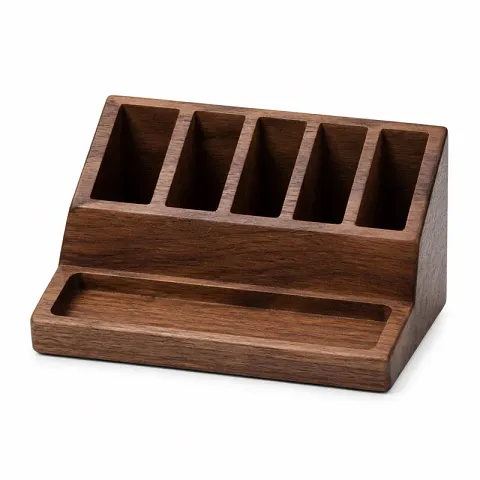
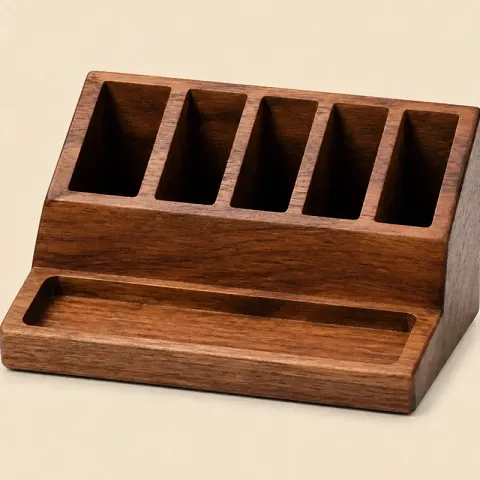
3 listings found. Each one carries a photo
from this store's gallery.
Shopify stores only, for now. Your report link is unlisted and kept out of search results.
Where the scan looks
What the scan checks
The scan starts with your own photos, because your photos are the thing a copycat almost always takes. Reshooting a product costs money and time. Right-clicking a gallery image costs nothing, so that is what happens: the photo you paid a photographer for turns up in someone else's listing, sometimes cropped, sometimes flipped, sometimes with a price sticker on the corner.
A listing counts as a match only when your photo is in the seller's own gallery, on the live page. That standard is stricter than a look-alike search, and it is the reason a match on the report is something you can act on rather than something you have to argue about. The report shows each listing next to your original, the marketplace it is on, the direct link, and a capture of the page.
The scan also looks past photos, at the stores that trade on your name. It finds stores selling under your brand name or a misspelling of your domain, stores that pasted your product descriptions, and Amazon listings that use your brand from another seller. Each store it confirms shows the facts behind it, like how many of its products carry your name, and up to ten get a screenshot of their homepage.
How it works from your side
From your domain to a finished report in four steps.
[01]
Type your domain
Your storefront domain on its own, like yourstore.com. No email address, no password, no app install.
[02]
We read your product list
The scan pulls your public catalog and takes your twenty best sellers. Your photos and titles are all it needs.
[03]
We look for your photos elsewhere
Each photo goes out against marketplace listings and the open web, and anything that comes back is checked against your original gallery image.
[04]
You read the report
The page updates itself while the scan runs, then settles into the results. Keep the link. It stays live.
What to do with the results
If the scan finds listings using your photos, you have standing to report them today. You own the copyright in your product photos the moment you take them. No registration, no lawyer and no trademark needed for a photo claim. Every major marketplace has a report form. Save your evidence first, then file page by page with the exact URL of each listing rather than a link to the seller's shop front. Our guide to filing a Shopify DMCA takedown walks through the whole form if the copy is on another Shopify store.
Then comes the part the free scan cannot help with. The listing comes down and a new one goes up under a different seller name, on a different marketplace, a week later. Doing this once is an afternoon. Doing it every week is a job, and it is the job Knockoff takes off your desk: your whole catalog watched on a schedule, every confirmed match filed as your authorized agent, and a relist watch on every filing. For Amazon photo claims, we prepare the notice and you send it from your own Amazon account. The plan is $799 a month, monthly billing, no contract.
Questions
What does the free scan actually do? +
It reads the public product list on your store and looks for copies four ways: your product photos in listings on marketplaces and the open web, stores selling under your brand name, stores using your product text, and Amazon listings using your brand. Every listing it finds sits next to your original photo, and up to ten of the stores it confirms get a screenshot of their homepage. If it finds copies and you ask for updates by email, we check again over the following weeks and email you a new report that shows which stores closed and which are new.
Do I have to give you my email address? +
No. There is no email field, no account and no login. You type your domain, you get a link to your report, and the report is readable by anyone who has the link. Nothing is sent to you and nothing is sold.
Does it need access to my Shopify store? +
No. The scan reads the same public product pages your shoppers see. There is no app to install, no permission screen and no password. A password-protected or region-locked store cannot be scanned this way.
How long does the scan take? +
Usually a few minutes. The report page updates itself while the scan runs, so you can leave the tab open or come back to the link later.
How many products does it check? +
Twenty of your best sellers, not the whole catalog. The free scan is a sample. A connected store watches every product on a schedule.
What if the scan finds nothing? +
That is a real result and worth knowing, with one caveat: a scan of a few products is a sample, and a clean sample is not the same as a clean catalog.
Can you take the listings down for me? +
Not from a free scan. On a connected store, Knockoff finds the match, confirms it against your own photo, and builds the case. Knockoff writes the notice and files it for you as your authorized agent. For Amazon photo claims, Knockoff prepares the notice and you send it from your own Amazon account in about two minutes.
What does the paid version add? +
Continuous scanning across your whole catalog, a finished evidence pack for every confirmed match, a weekly check of TikTok and Facebook for accounts pretending to be your brand, and email alerts when something new shows up. It is fully managed: Knockoff writes each notice and files it for you as your authorized agent, and chases the reply. For Amazon photo claims, Knockoff prepares the notice and you send it from your own Amazon account. The plan is $799 a month.
See it working before you sign up
A sample brand with detections, evidence, and takedown outcomes. Click around the whole account.