
Shopify DMCA takedowns
Shopify DMCA takedowns, from stolen photos to filed notice
Another store is selling with your photos, your descriptions, sometimes your whole storefront. This guide covers how to file a DMCA takedown with Shopify yourself, what the form requires, what evidence holds up, and what happens after you hit submit.
Prefer to skip the paperwork? Knockoff prepares the whole case and files it for you on covered platforms, $799 a month.
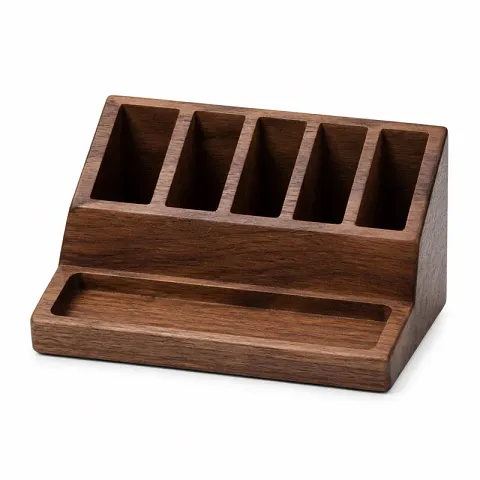
Walnut Organizer Shop
Your photos, their checkout
Certificate issued 2 hours ago, no customers yet
What a Shopify DMCA takedown is
The DMCA is the US law that lets a copyright owner tell a hosting platform to remove copied work. Shopify hosts the copycat's store, so Shopify is who you notify. When Shopify accepts a valid notice, it removes the reported content and tells the store owner why.
The part most founders miss: you already own the copyright. Your product photos are protected the moment you take them. Your product descriptions and page copy are protected the moment you write them. No registration, no lawyer, no trademark required. If a store lifted your photos or your listings, you have standing to file today.
Shopify treats copyright infringement reports and trademark reports as separate tracks. The DMCA route covers copied creative work: photos, listing copy, page text, graphics. If a store is trading on your brand name or logo, that is a trademark report on a different form, and it does require a registration. Most copied-store cases are copyright cases, because the photos are what the copycat actually took. If you are not sure which side your case sits on, the map of which right covers which asset sorts a photo, a name, a logo and a product shape into the right lane.
A DMCA notice is a legal statement, not a complaint form. You sign it under penalty of perjury, and Shopify can forward a copy of it, including your contact information, to the person you reported. File carefully and honestly. Never claim work that is not yours. If you want to see the wording before you start, the annotated DMCA takedown notice template shows every required line and what it is for.
How to file one yourself, step by step
Shopify takes copyright reports through its own online form. The steps below are the manual version of what Knockoff prepares automatically. To get the wording ready before step four, build the notice for a Shopify store in your browser.
[01]
Collect the exact page URLs
Copy the direct link to every page where your work appears: each product page, each image, each copied description. A link to the store's homepage is the most common reason reports go nowhere. Shopify needs to see precisely which content you are reporting, page by page.
[02]
Gather your originals
Pull together the original photos and text, plus anything that shows they are yours and shows when they were created: camera originals, upload dates, your own live product pages. You will point to these as the source work in the notice.
[03]
Save the evidence before it moves
Take a timestamped screenshot of every infringing page and keep an archived copy if you can. Copycat stores edit listings, swap photos and vanish. If the page changes after you file, your records are what show what was there.
[04]
Fill out Shopify's copyright form
File through Shopify's copyright report form. The notice must include your legal name and contact details, links to your original work, the direct links you collected, a description of exactly what was copied, a good-faith statement, a statement under penalty of perjury that you own the work or act for the owner, and your signature.
[05]
Track what happens next
Keep your evidence and note the date you filed. If the content comes down, watch for it to come back. Relisting under a new page or a new store is normal behavior for copycats, and every relist is a fresh notice.
What evidence holds up
Platforms act on complete, accurate claims. A strong case pairs each infringing URL with proof: a timestamped screenshot of the live page, an archived copy of the page itself, a side-by-side of your original next to the copy, and the original work with its dates.
This is the standard Knockoff builds every case to. A match is confirmed only when your photo appears in the seller's own listing gallery, and every confirmed match ships as a complete evidence pack. The exact notice is written for you, signed, and filed as your authorized agent on covered platforms. The evidence stays yours, stored with your case history.
Confirmed match
FiledYour listing
Walnut desk organizer
$68.00
Found on Temu
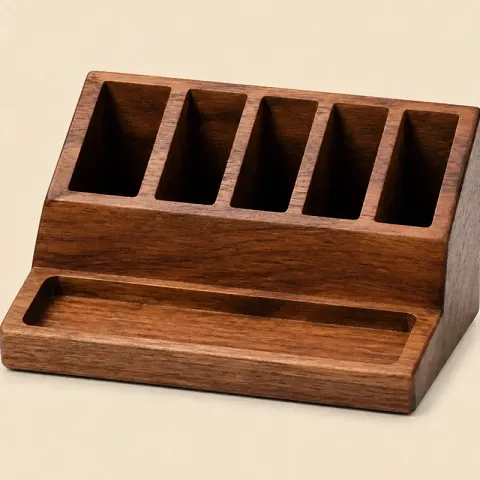
Walnut desk organizer
$8.99
Exact photo match
2026-08-14 09:41 UTC
What happens after you file
When Shopify accepts your notice, it removes the reported content and notifies the store owner. The owner learns what was reported and by whom, because Shopify may pass along a copy of your notice with your contact information in it.
The owner can push back with a counter notice, a sworn statement that the content was removed by mistake or misidentification. If that happens, the clock starts at Shopify's end: the content can be restored not less than 10 and not more than 14 business days after Shopify receives that counter notice, so your window to show Shopify you filed a court action or a Copyright Claims Board infringement claim runs from its receipt, not from the day you hear about it. Counter notices are rare when the claim is solid and the evidence is attached, which is exactly why the evidence matters more than the anger.
If the copy took your name or the look of your product rather than your photographs, that is a different Shopify form with different requirements. Reporting a Shopify store, route by route sets the two forms side by side and covers the categories Shopify does not offer at all.
There is a real consequence at the end of this road: Shopify terminates stores for repeat offenses, and its policy extends to other stores run by the same operator. A copycat who ignores one clean takedown is building a record.
Then comes the part nobody warns you about. The listing comes back, on a new page, a new store, a new name. Filing one takedown is a task. Watching for the relist, catching the next store, and re-doing the evidence every time is a job. That job is the actual product problem, and it is the one Knockoff exists to take off your desk.
The same takedown, without the Sunday afternoon
Knockoff connects to your Shopify store and watches your product photos across Amazon, Temu, eBay, Etsy, AliExpress, Walmart and the open web. It also catches copycat Shopify storefronts the day they go live, before your customers find them. The wider category that work sits in is brand protection, defined for a store owner.
Every confirmed match is backed by its evidence: the timestamped screenshot, the archived page, and the side by side. Knockoff writes the notice, files it as your authorized agent, and files again if the seller relists. For Amazon photo claims, Knockoff prepares the notice and you send it from your own Amazon account in about two minutes.
See how Knockoff works, from connected store to filed takedown, or see the plan. Monthly, no contract. If you are still sizing up the category, here are the questions worth asking any brand protection software before you pay for it.
Copies rarely stay on Shopify. If your photos are also turning up on marketplaces, here is what a takedown service covers across every surface Knockoff watches, and here is what ecommerce brand protection covers for an online store. Every other marketplace runs its own form with its own quirks, and they are all collected in the platform by platform routing table.
Not sure yet whether anyone is using your photos? Run a free scan of your store. Results on one page.
What Knockoff does not do
- It files for you. You sign a Letter of Authorization once, and Knockoff signs and files each notice as your authorized agent on covered platforms.
- It does not guarantee removals. Platforms act on complete, accurate claims, and that standard is what we prepare to.
- It does not work without a Shopify store. Your catalog is what we watch, and today the connection is Shopify only.
- It does not send weak claims. A case that cannot be confirmed against your own photos is not filed.
Questions
Someone copied my Shopify store. What do I do first? +
Save the evidence before you do anything else. Take timestamped screenshots of every copied page, keep an archived copy if you can, and gather your originals with their creation dates. Copied stores change fast, and a claim without evidence is just an accusation. Then file through Shopify's copyright form with the exact URL of each copied page.
Does Shopify actually remove copied stores? +
Shopify's copyright policy is real and it is used every day. When a notice is complete and accurate, Shopify removes the reported content and notifies the store owner. Repeat offenders can lose the store entirely, and Shopify's policy extends termination to other stores run by the same operator. Vague or incomplete notices are the usual reason nothing happens.
Do I need a registered trademark to file a DMCA takedown? +
No. A DMCA notice is a copyright claim, and your product photos, descriptions and page copy are protected by copyright the moment you create them. A registered trademark matters when someone uses your brand name or logo, which is a different report on a different form. For stolen photos and copied listings, copyright is enough.
How long does a Shopify DMCA takedown take? +
Shopify does not publish a fixed timeline. Complete notices with page-level URLs move fastest, because the common rejections are a general store link instead of specific pages, a vague description of what was copied, and missing contact details. If the seller files a counter notice, expect roughly two more weeks before the matter settles.
What happens if the seller files a counter notice? +
The seller can claim, under penalty of perjury, that the content was removed by mistake or misidentification. If that happens, the content can go back up not less than 10 and not more than 14 business days after Shopify receives that counter notice, so the time you have to show Shopify you filed a court action or a Copyright Claims Board infringement claim is counted from its receipt, not from the day you hear about it. This is why weak claims are worth less than no claim: a real person checks every notice Knockoff prepares before it goes anywhere.
Can Knockoff file the takedown for me? +
Yes, on covered platforms. Knockoff finds the theft, confirms the match against your own photos, writes the notice, and signs and submits it as your authorized agent under a Letter of Authorization you sign once and can revoke.